Animated sketch app

An animated sketch app that draws your ideas for you

Most sketch and drawing apps expect you to be the artist. AutoScribble reverses that: you bring the idea and the words, and the app does the drawing. The result is a sketch video with the charm of hand-drawn illustration and the clarity of a professionally written explainer.

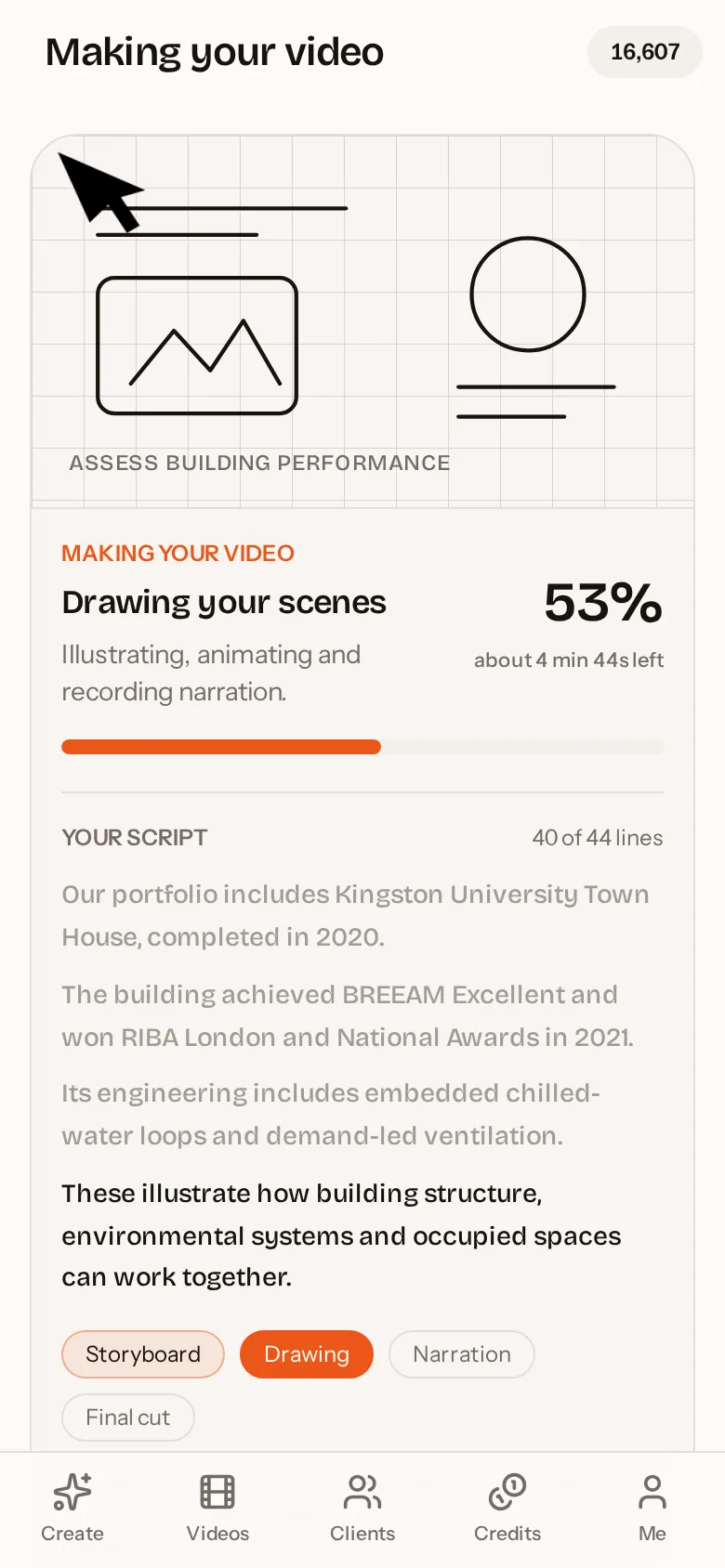
AutoScribble app: Watch your sketch video being drawn and narrated
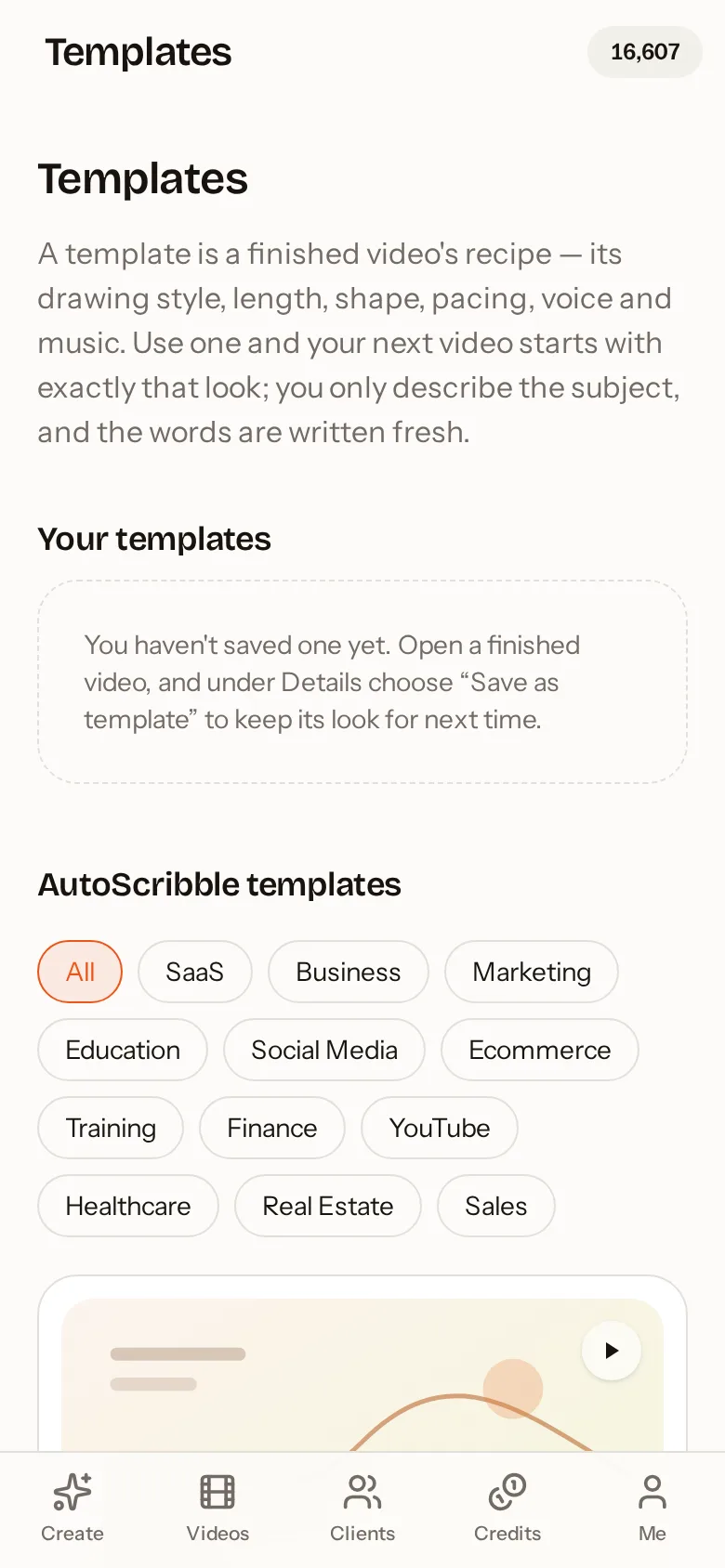
AutoScribble app: Start from a proven template for your industry

Quick answer

An animated sketch app turns ideas into videos that look hand-drawn, with lines appearing on screen as if someone is sketching them live. AutoScribble does this with AI: you describe your idea or paste a script, and it plans the scenes, sketches each one in sequence and adds matching narration. You need no drawing skills, and the finished video can be 30 seconds to 4 minutes long.

Sketch animation without drawing a line

Sketch animation traditionally meant drawing every frame by hand, or recording a pen on paper and editing hours of footage. AutoScribble generates the drawing directly from a scene plan. Each scene describes one clear picture — a character, a product, a process diagram, a before-and-after — and the app sketches it stroke by stroke, timed to the narration.

Because the drawing is guided by your script, the pictures always mean something. The app is not decorating your words with random doodles; it is illustrating the specific point being made at that moment.

What you can sketch

Anything you can explain in words can be sketched. People regularly use AutoScribble for business stories, how-to guides, product demos, science lessons, health information, property tours and even personal stories and tributes.

  • Business explainers: what we do, who we help, why choose us
  • Processes: step-by-step procedures drawn as connected diagrams
  • Comparisons: before and after, old way versus new way
  • Lessons: concepts for students, from biology to history
  • Stories: timelines and journeys told as a sequence of sketches

Styles and colour

Choose a classic black-ink whiteboard look, a clean explainer style, or colour sketching with your own palette. When you save brand colours, the main colour becomes the dominant drawing colour and your accent colours are used for highlights in every scene, so the sketch looks like it belongs to your brand.

Templates bundle a drawing style, length, pacing, voice and music into a reusable recipe. Save one from a video you love, and your next sketch video starts with exactly that look.

Why sketch videos stand out in a feed

Social feeds are full of polished footage and talking heads. A sketch being drawn is visually different, and the unfolding picture creates natural curiosity: viewers keep watching to see what the drawing becomes. Portrait sketch videos made for phones fill the whole screen and keep text safely inside the frame.

From phone to finished film

The AutoScribble Android app contains the complete studio. Write or paste on your phone, check the scene plan, press make and put your phone away. The heavy work happens on our servers; you get an email when the sketch video is ready to watch, download or share by link, WhatsApp, email or embed code.

How to do it in four steps

  1. 1

    Open the app

    Download AutoScribble from Google Play and sign in. New accounts get 100 free credits.

  2. 2

    Say what to sketch

    Describe the idea or paste your script. Pick a length and a portrait or landscape shape.

  3. 3

    Choose the look

    Pick a template or drawing style and apply your brand colours and logo.

  4. 4

    Watch it being drawn

    Follow progress live, then download or share your finished sketch video.

Ways to make a sketch animation

MethodSkill neededTypical timeEditing later
Hand-drawn frame by frameProfessional illustratorWeeksRedraw required
Filmed pen on paperDrawing plus video editingDaysRefilm required
Drag-and-drop sketch softwareModerate, timeline editingHoursManual
AutoScribble animated sketch appNoneAbout 10 minutesEdit script and remake

Inside the app

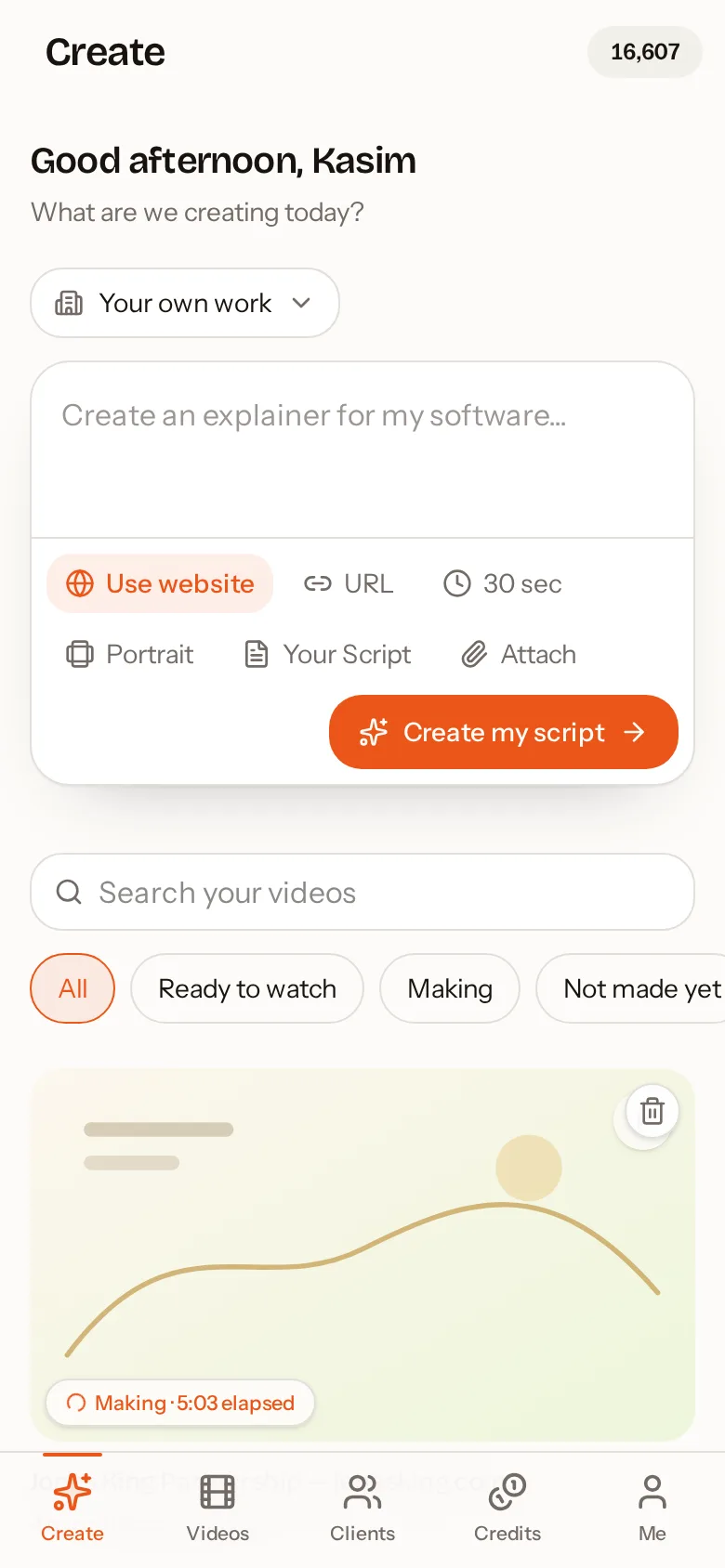
AutoScribble Android app: Describe your video, paste a script or use a website
Describe your video, paste a script or use a website
AutoScribble Android app: Watch your sketch video being drawn and narrated
Watch your sketch video being drawn and narrated
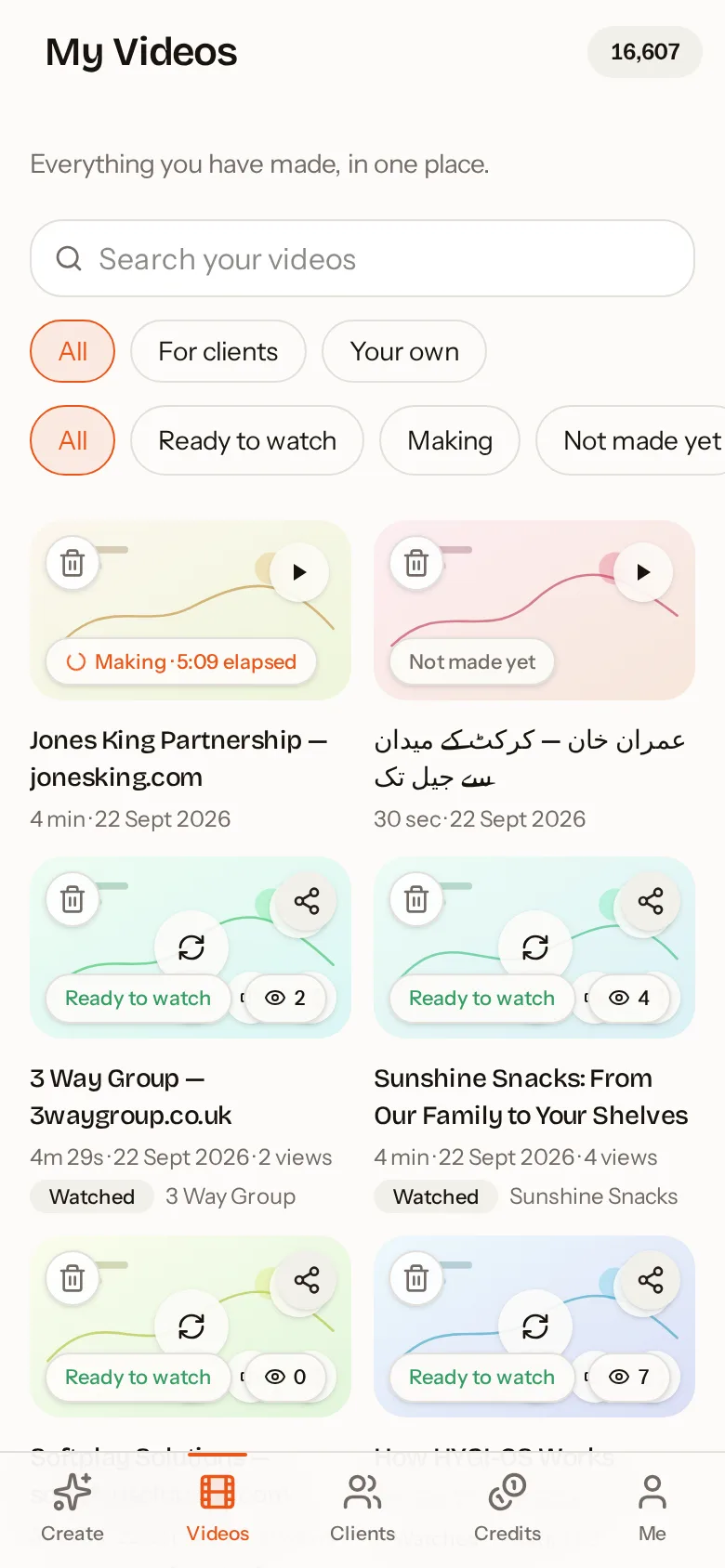
AutoScribble Android app: Every video in one place, ready to watch and share
Every video in one place, ready to watch and share
AutoScribble Android app: Start from a proven template for your industry
Start from a proven template for your industry
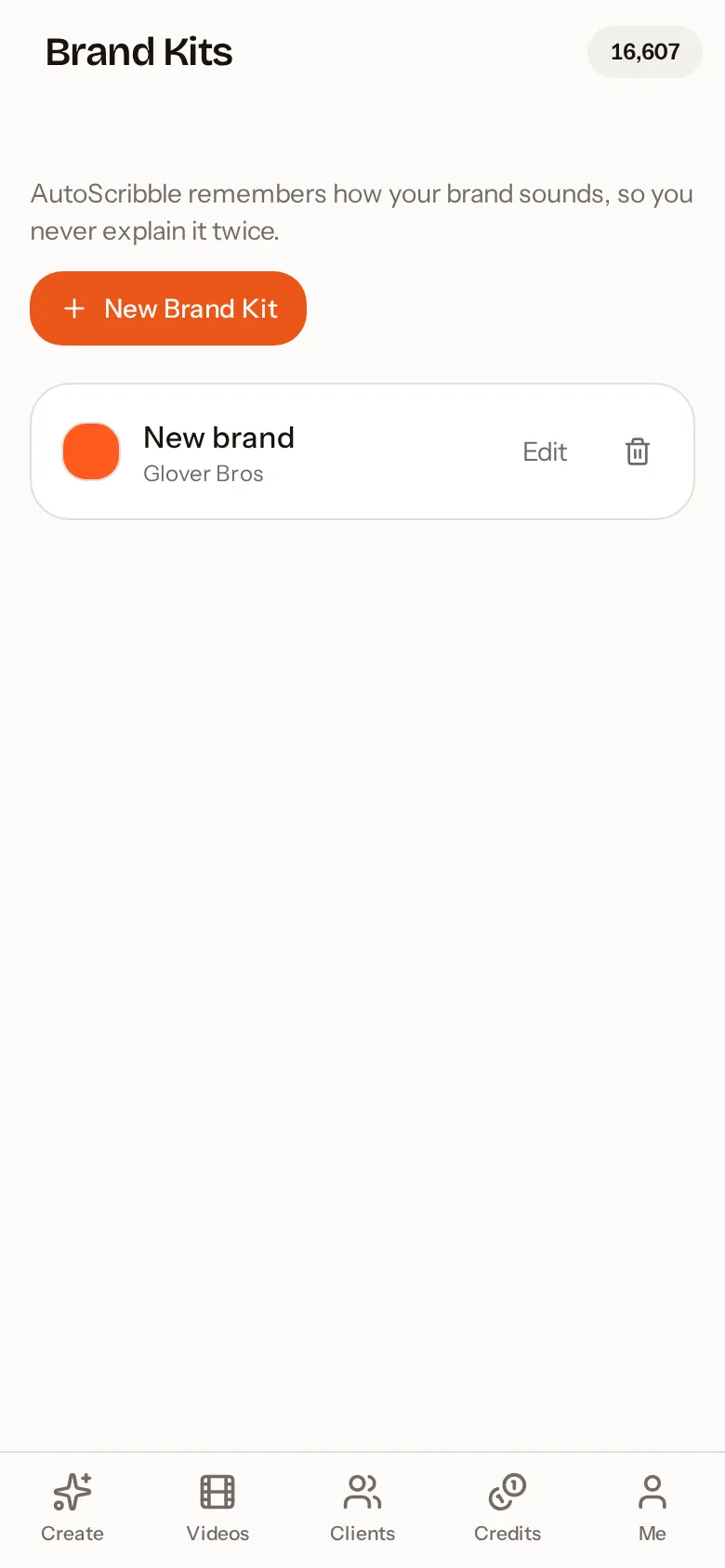
AutoScribble Android app: Brand kits keep your colours and logo on every video
Brand kits keep your colours and logo on every video

Frequently asked questions

What is an animated sketch app?

It is an app that creates videos in a hand-drawn style, where the illustrations appear as if they are being sketched live. AutoScribble adds AI writing and narration, so it produces a complete explainer rather than just a drawing.

Do I need to be able to draw?

No. AutoScribble does all the drawing. You describe what you want to explain and can review the scene plan to see what each sketch will show before production starts.

Can the sketches use my brand colours?

Yes. Save your colours in a brand kit. The main colour drives outlines and headings, and supporting colours are used for arrows, ticks and highlights in every scene. Your logo can be sketched in as part of the drawing.

How much does it cost?

The app is free to download and every new account gets 100 welcome credits, which makes one full one-minute video or two 30-second videos. After that, 100 credits makes one finished minute of video. You can buy one-off credit packs that never expire or choose a monthly plan. Writing, editing and storyboarding your script is always free; credits are only used when you press Make my video.

How long can a video be?

Anywhere from 30 seconds to 4 minutes. Short 30 to 60 second films suit social media and adverts; 2 to 4 minutes suits homepage explainers, training and detailed product walk-throughs. Your chosen length is respected: if your script is too short, the app tells you before anything is charged.

Do the app and the website share the same account?

Yes. Sign in with the same email or Google account and your videos, credits, brand kits, clients and templates are identical on your phone and on autoscribble.com. Start a script on the train and finish it at your desk.

Related guides

See how teams use it by sector — for example teachers and tutors, workplace training and agencies, or all sectors.

Make your first video on your phone today

Free to download. 100 welcome credits — enough for a one-minute video. Same account on the app and the web.

Get it on Google Play