Healthcare & Medical Training
Whiteboard animation for medical training and patient education
AutoScribble helps medical educators, healthcare training teams and clinics turn approved written material into short, narrated whiteboard animations. You paste a lesson plan, induction checklist or patient leaflet, review the script it drafts, and it draws the explanation as a sketch video you can download and share. It suits conceptual teaching — how a condition develops, why a pathway exists, what happens at an appointment — rather than precise procedural demonstration.
Who it's for: Clinical educators, practice development nurses, medical school teaching fellows, NHS and private-sector training teams, GP practices, dental and physiotherapy clinics, and patient information officers.
Start a medical video
For healthcare teams: a source-based video example
AutoScribble helps healthcare teams turn their own information into short whiteboard videos. Paste a patient-information passage, staff brief or teaching outline, then edit the script before animation. Choose a specific viewer and question so the finished explanation has a clear purpose, whether it introduces a service, supports learning or explains a local process.
New accounts: one free 30-second video with 50 welcome credits. Download included. Longer videos use paid credits.
Edit your script before generating the video.
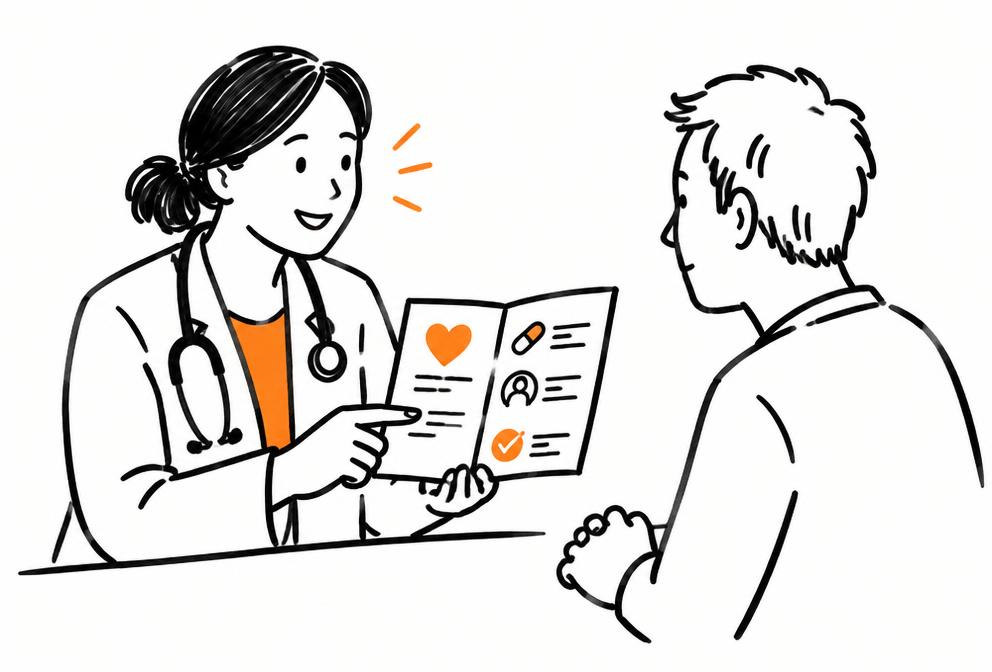
About this example: audience, storyboard and questions
Audience: Healthcare service teams, educators and staff-development leads
Editable starter prompt
Draft a 120-second, 16:9 whiteboard video for [patient group, staff group or learners] using our supplied healthcare information. Its purpose is [one purpose] and it will be watched [setting]. Open with the viewer’s immediate question, explain the relevant stages, and finish with our supplied next-step wording. Preserve local service names and important qualifications. Use plain language, explaining essential terms rather than removing their meaning. Do not add preparation instructions, treatment advice or claims of benefit that are absent from the source. Suggest uncomplicated scenes for review. [Paste your source material here]
What to include
Healthcare communication includes several different jobs. Someone preparing for a first appointment needs a different explanation from a new colleague joining the team. Start by naming the situation in which the video will be watched. That decision guides the opening, vocabulary, examples and final direction, while your existing material supplies the substance.
Match the video to the viewing moment
For a patient-facing introduction, begin with the question the person is likely to have about your service. For induction, begin with where the new colleague fits. For training, name the learning objective. Keep these purposes separate when necessary: one short video should not need to function as a public leaflet, a staff handbook and a complete lesson.
Collect the local details that make it useful
Prepare the current service name, team roles, relevant sequence and approved contact wording. Mark information that belongs in the video and information that should remain in the full document. Write contact details as you want them displayed. This small preparation step helps avoid a polished but vague explanation that leaves viewers unsure where to go next.
Create a version for the intended setting
A two-minute landscape explainer suits a focused introduction or teaching segment. A waiting-room message may need a shorter script and larger, simpler scene labels. An induction video can use local role names that would confuse a public audience. Review the draft in that setting, checking whether the opening gives enough context and the final instruction has a clear destination.
Illustrative storyboard
A possible scene sequence
A service introduction built around the information supplied by a healthcare team.
- Scene 1
Visual
A service name appears beside a clear viewer question.
Narration
This introduction explains what our service information covers.
- Scene 2
Visual
Role cards introduce the people named in the brief.
Narration
Here are the team roles relevant to this part of the service.
- Scene 3
Visual
A short timeline follows the supplied process.
Narration
These are the stages described in our current information.
- Scene 4
Visual
A final card shows the team’s supplied contact wording.
Narration
Use this contact route if you need the full information.
Example storyboard; your generated video will vary.
Questions
Should patient and staff versions share one script?
They can share a source, but each needs its own framing. Staff may need role-specific detail, while patients need an explanation grounded in their immediate situation.
Can we turn a service update into a video?
Yes. Paste the change, who it affects and the current next steps. State the version or date in your source when that context matters to viewers.
What should stay in the original document?
Retain the full detail there, especially material a viewer may need to consult again. Use the video to explain a defined part and point to the complete source.
Review the generated wording and visuals before using your video. See pricing and credits.
The communication problems we hear most
Approved content that nobody reads
Patient leaflets go through careful clinical and readability review, then sit in a rack. Many patients skim or lose them, and staff repeat the same explanation at every appointment.
Induction squeezed into rota gaps
New starters on rotation need the same orientation — escalation routes, infection prevention basics, where things are — but trainers rarely get the whole cohort in one room.
Concepts that are hard to picture
Learners understand the renin–angiotensin system or the stages of wound healing faster when they watch each step being drawn than when they read a dense paragraph.
Filming is slow and sensitive
Filming on a ward needs consent, clean backgrounds and clinical time. A drawn explanation avoids showing real patients or identifiable settings at all.
What you can make
Condition explainers
What type 2 diabetes does to blood glucose, drawn in four clear stages for newly diagnosed patients.
Appointment preparation
What to expect at a colonoscopy or MRI, including preparation steps copied from your approved leaflet.
Staff induction modules
Two-minute segments on escalation, handover structure or local policies for rotating staff.
Teaching concept primers
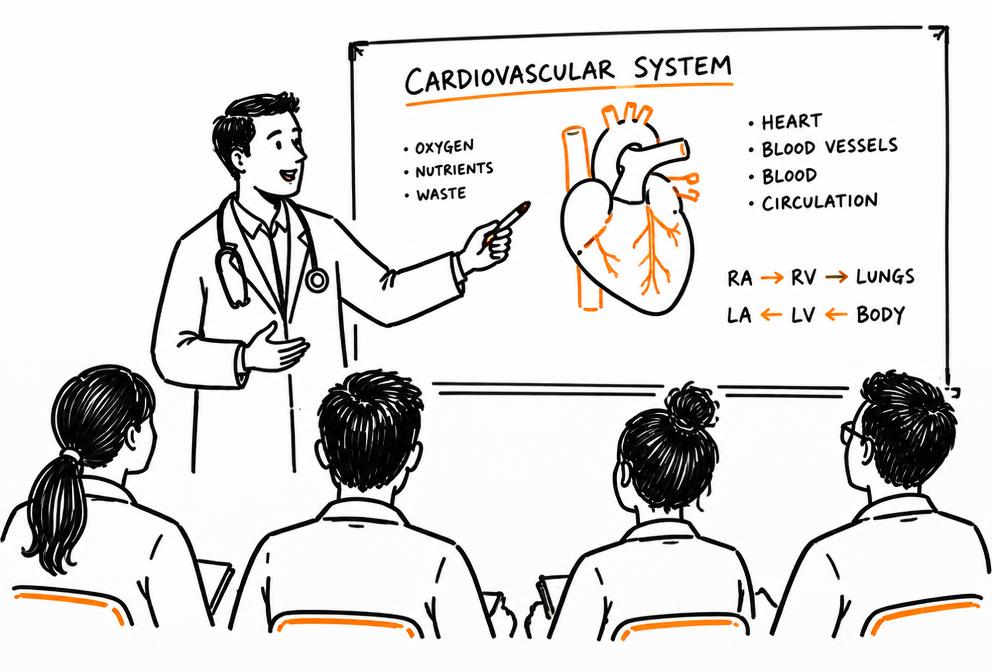
A three-minute sketch of the cardiac cycle or the clotting cascade to watch before a seminar.
Public health messages
Vaccination reminders or screening invitations explained in plain language, in one of 15 narration languages.
Service change explainers
How a new referral pathway or booking system works, for patients and staff at the same time.
From source material to finished video
- 1
Start from approved material
Paste the text of an approved leaflet, lesson plan or induction section. Remove any patient-identifiable details first — never paste case notes.
- 2
Review the draft script
AutoScribble drafts a title, narration and scene plan. Edit freely; editing costs nothing. Keep clinical terms exactly as your source states them.
- 3
Clinical sign-off
Send the script, not the finished video, to the responsible clinician or information governance lead. Changes are cheaper at this stage.
- 4
Make, check and publish
Choose landscape for teaching screens or portrait for phones, generate, then watch the finished film once more against the signed-off script before sharing.
AutoScribble is not a clinical tool and has no clinical certification. Every healthcare script should be checked by a qualified clinician before the video is made, and again before it is shared. Do not paste patient-identifiable information into any prompt.
Worked example
Illustrative example. Source: an approved one-page leaflet for adults newly diagnosed with type 2 diabetes. Audience: patients at a first diabetes clinic appointment. Length: 90 seconds, portrait.
Sample narration
“When you eat, your body turns food into glucose — a kind of sugar your cells use for energy. Insulin works like a key that lets glucose into those cells. With type 2 diabetes, the key doesn't work as well, so glucose builds up in your blood. The good news is that small, steady changes, and any medicine your team recommends, can help the key work better.”
Storyboard (illustrative, not a rendered video)
- Scene 1
A plate of food turning into small glucose dots flowing into a blood vessel.
When you eat, your body turns food into glucose…
- Scene 2
A cell drawn as a house with a locked door; an insulin key unlocks it.
Insulin works like a key…
- Scene 3
The key struggling in the lock; dots piling up in the vessel.
With type 2 diabetes, the key doesn't work as well…
- Scene 4
Walking shoes, a water glass and a pill bottle around a door opening smoothly.
Small, steady changes, and any medicine your team recommends…
Prompts you can use today
Copy a prompt, or open it straight in the create box. Replace anything in square brackets.
Patient leaflet to explainer
Turn the approved patient leaflet below into a 90-second portrait whiteboard video for adults at their first appointment. Use plain English at a reading age of about 11, keep every clinical term exactly as written, explain each term the first time it appears, and end by telling patients to ask their care team if they have questions. Do not add any advice that is not in the leaflet.

[Paste leaflet text here]
Staff induction segment
Create a 2-minute landscape whiteboard video for new ward staff explaining our escalation process for a deteriorating patient, using only the steps in the policy extract below. Draw each step as a numbered stage, name who to contact at each stage, and finish with where to find the full policy.

[Paste policy extract here]
Teaching concept primer
Make a 3-minute landscape whiteboard explainer of the stages of wound healing for first-year nursing students: haemostasis, inflammation, proliferation and remodelling. Draw one stage per scene with a simple labelled diagram, give a one-sentence summary at the end of each stage, and close with a recap of all four.
What AutoScribble does
- Start from a typed idea, a pasted script, a website address, or an uploaded plain-text, Markdown or RTF document
- Edit the draft title, script and scene plan freely before anything is made
- Videos from 30 seconds to 4 minutes, in landscape (16:9) or portrait (9:16)
- Narration in 15 languages with a choice of voices
- Your logo and brand colours drawn into the sketch
- Download as MP4, share a private link, or embed on your website
- 100 credits make one minute of video; new accounts get 50 welcome credits for one free 30-second video
- Android app on Google Play; on iPhone, use the website in Safari
There is no LMS, SCORM or record-system integration: you download the video and upload it where you need it. Read how it works in how AutoScribble works or get the Android app.
When sketch animation fits
- Explaining mechanisms, pathways and the reasons behind a policy
- Patient information that already exists in approved written form
- Short orientation segments that need to be consistent across cohorts
- Topics where filming real patients or wards would be inappropriate
When another format is better
- Clinical skills and procedures — use supervised practice, simulation or professionally filmed demonstrations
- Anything requiring exact anatomy, dosages drawn to scale or device-specific steps
- Individual patient advice — that belongs in a consultation
Questions from healthcare & medical training teams
What should I review before publishing a medical training animation?
Check that every clinical statement matches your approved source, that terms and doses are unchanged, that nothing implies individual advice, and that the drawings don't suggest a technique you wouldn't teach. Have the responsible clinician sign off the script first and watch the finished video once before release.
Can I use patient case details in a prompt?
No. Use anonymised teaching scenarios you have written yourself or published material you are allowed to adapt. Never paste names, dates of birth, NHS numbers or case notes.
Is sketch animation suitable for teaching clinical procedures?
Only as an overview of why and when a procedure happens. Hands-on technique should be taught through supervised practice, simulation or accurately filmed demonstrations.
Can patients watch videos on their phones?
Yes. Choose portrait format for phones and share a link or download the MP4 for your own website or patient portal. There is no native integration with patient record systems; you upload the file where you need it.
Can I make videos in languages other than English?
Narration is available in 15 languages. Translated scripts should still be checked by a qualified translator and a clinician before release.
How long should a patient explainer be?
Usually 60–120 seconds. One idea per video works better than covering a whole leaflet in one film. AutoScribble makes videos from 30 seconds to 4 minutes.
Sources and further reading
Step-by-step guides
How to create medical training explainer videos from approved teaching material
Pick one learning outcome, take the matching section of your approved teaching material, and ask AutoScribble for a two- to four-minute whiteboard video aimed at a named learner group. Edit the draft script so every clinical statement matches your source, get the responsible clinician to sign off the script, then generate and watch the finished video once more before releasing it.
Read the guideHow to turn a patient information leaflet into an animated explainer
Choose the single most important message in the leaflet — usually ‘what is it’ or ‘how to prepare’ — and paste that section into AutoScribble with a request for a 60- to 120-second portrait video in plain English. Keep clinical wording from the leaflet, remove anything not in it, and have the leaflet's clinical owner approve the script before you generate.
Read the guidePlanning short whiteboard videos for healthcare staff induction
Break your induction checklist into five to eight two-minute videos, each covering one thing a new starter must know in their first week — escalation, handover, infection prevention basics, where equipment lives, who to call. Base each script on your local policy text, have the policy owner approve it, and share the series before day one so face-to-face time goes on practice and questions.
Read the guideRelated sectors
- Universities & Higher Education — Medical schools and nursing faculties use the same approach for lecture primers.
- Training & Workplace Learning — Induction and mandatory training design overlaps with workplace learning.
- Charities & Nonprofits — Health charities turn awareness campaigns into short explainers.
- All sectors · What you can make · Pricing